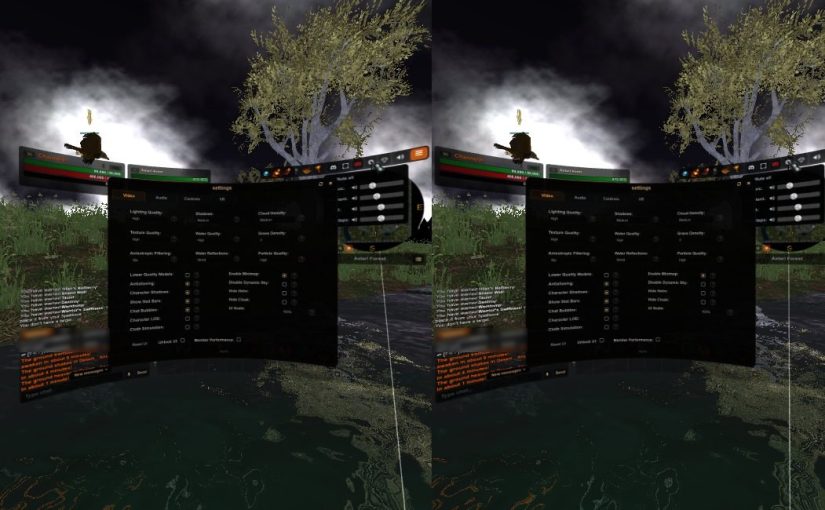
Titans of Time is a 3D MMORPG that runs in your web browser, and now it runs in a VR headset too. There is nothing to install: if your browser supports WebXR, a VR button appears next to the fullscreen button, and one click puts you inside the game. If you do not have a headset, nothing changes at all.
What you need
- A PC VR headset (SteamVR headsets such as the Valve Index, or a Meta Quest through Quest Link or Virtual Desktop) with Chrome or Edge on the PC.
- Or a standalone headset’s own browser, such as the Meta Quest Browser.
- A free Titans of Time account. Log in, enter the world and press the VR button.
On a PC, Chrome may reload the page the first time you press VR, to move the game onto your headset’s graphics card. Press it again and you are in.
You are your character
The world is at your character’s scale and your eyes are at your character’s eye height, so a dragon looks like a dragon. You face the way your character walks, and you look around by turning your head.
Controls
- Left stick: run and strafe. Right stick: turn.
- X, Y, A and B: your first four abilities.
- Trigger: select whatever you point at, with the same cursor the mouse shows, from the sword over enemies to the NPC’s own mark.
- Right grip: next target. Left grip: Loot All when tapped, mount or dismount when held.
- Stick clicks: autorun (left) and jump (right). Hold one for half a second to show or hide the UI (left) or the chat (right).
Every game window works in VR. Your unit frames, action bars, chat, minimap and windows hang in front of you as curved screens, and a controller pointed at them works like a mouse: hover for tooltips, trigger to click and drag, grip to right-click and the right stick to scroll.
Chat in VR
Hold the right stick click, or point at the chat bar and pull the trigger, and an on-screen keyboard appears, with a microphone key for voice typing where the browser supports it. A PC keyboard works too.
The VR tab in Settings
The new VR tab in the Settings window explains the controls and lets you set things up the way you like: show or hide the UI, spread it further from the centre, make it bigger or smaller, move it closer or further away, and change how fast the stick turns you. Even with the UI hidden, the things you need still show: windows you open, loot, notices, your cast bar and the fishing reel.
Tell us how it went
VR is an extra for players who happen to own a headset, and the game is still built for a screen first. If you try it, tell us on Discord which headset you used, what felt good and what did not.
Titans of Time is a free to play 3D browser MMORPG with no download. Play it at titansoftime.com on PC or mobile, and come say hi on our Discord. For everything else in this update, see the fall 2026 update overview.